
Skip to content

Native DJ software for macOS

Sound. Refined.

Meet Vega Sound Labs Pro.

Professional sound technology. Precision engineering. An entirely new listening experience.

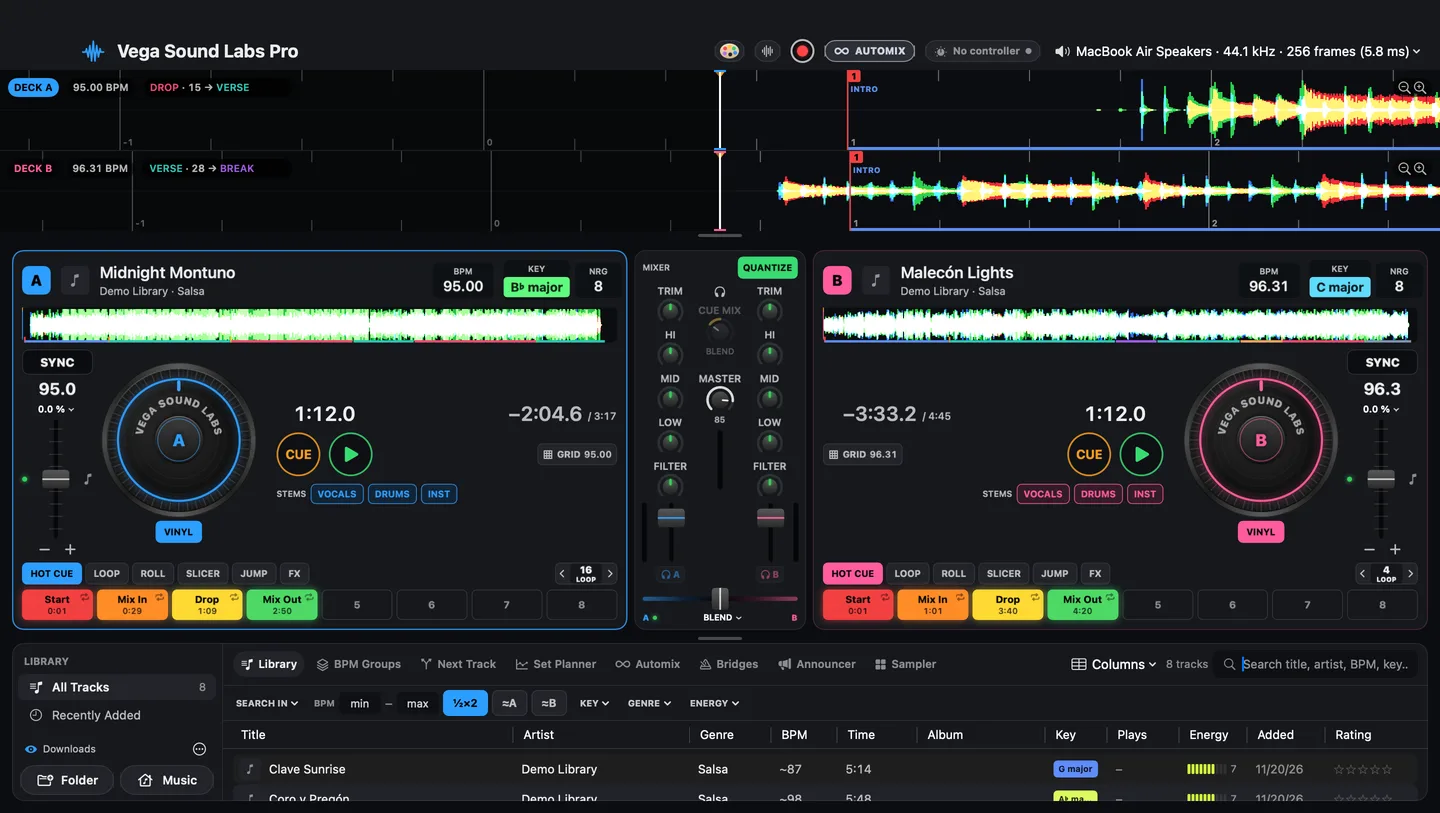
Vega Sound Labs Pro on a Mac: scrolling waveforms with phrase countdowns, two decks with jog wheels and hot cues, the mixer, and the library
The Vega Sound Labs Pro window in its default theme.

The experience

Engineered for the way sound should feel.

Vega Sound Labs Pro is made for one job: keeping a dance floor moving. The decks, the library and every transition are built around tempo, so each song arrives right on the beat, and you stay with the music instead of the software.

  • Native to the Mac.

    Built in Swift for macOS, with an audio engine whose real-time code is lock-free, allocation-free C.

  • Designed around tempo.

    Tracks are grouped by BPM, mixes lock to the beat, and when two songs are too far apart a Bridge carries the floor from one tempo to the next.

  • Quiet until it plays.

    Everything that moves runs from one display-synced clock, and only while a deck plays. Idle, the app uses about 1–2 % of the CPU.

  • Yours, on your Mac.

    Analysis and stem separation run on your own computer. No account to sign in to.

The software

Everything in one window.

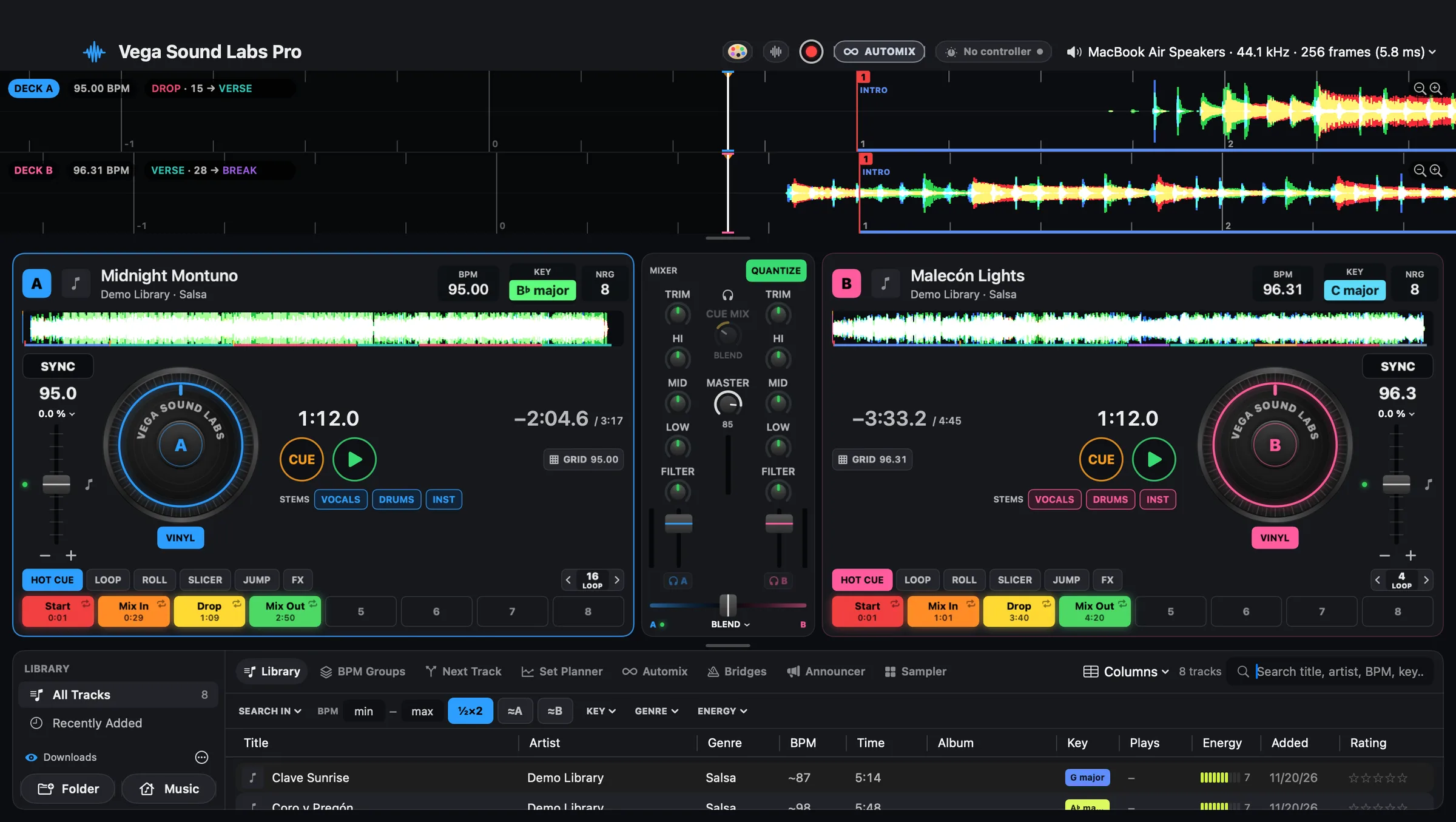
Decks, mixer, waveforms and library, laid out for a 13-inch laptop or a studio display. This is the real app, in its default theme.

The full Vega Sound Labs Pro window: waveforms, Deck A, the mixer, Deck B and the library
  1. Waveforms that read ahead

    Both decks scroll in step on one beat grid. Coloured bands mark each 8-bar phrase, and the countdown shows what's next: DROP · 15 → VERSE.

  2. Two complete decks

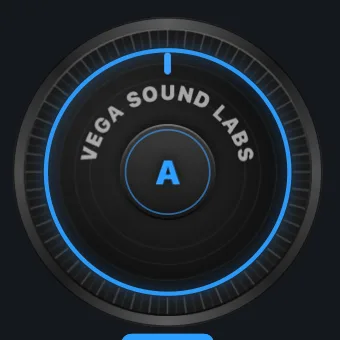
    Jog wheel, CUE and play, stems, eight hot cue pads with automatic Start, Mix In, Drop and Mix Out cues, and the loop, roll, slicer, jump and FX pages.

  3. A mixer that knows zero

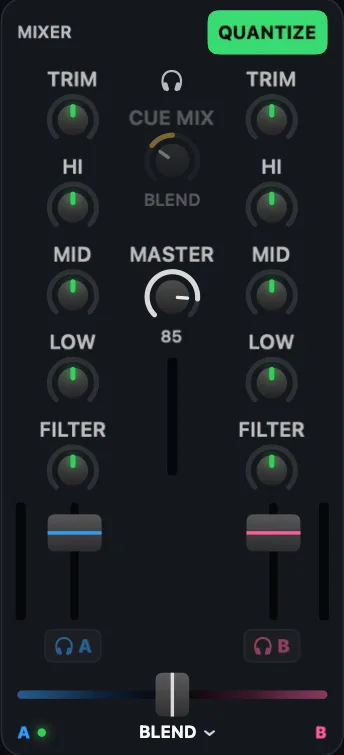
    Trim, three-band EQ with kills, filter and faders for each channel. CUE MIX for headphones, and the master with its limiter light.

  4. A library that knows every track

    BPM, key and energy for every song, with filters by tempo, key, genre and energy, ratings, and BPM Groups, Next Track, Set Planner, Automix, Bridges and more one tab away.

  5. Your sound, your output

    The header shows exactly where the sound goes: the output device, its sample rate and the audio buffer, here 256 frames (5.8 ms) at 44.1 kHz.

Features

Made for the floor. Down to the beat.

Performance

Two decks. Every move.

Eight hot cues per track, loops from a thirty-second of a beat to 128 beats, saved loops, rolls, a slicer and beat jump. Sync and quantize keep every move on the beat.

  • Vinyl scratch or CDJ pitch bend on the jog wheel
  • Key lock and a ±8 / 16 / 50 % tempo range
  • Hot cues, loops and saved loops stay with the track
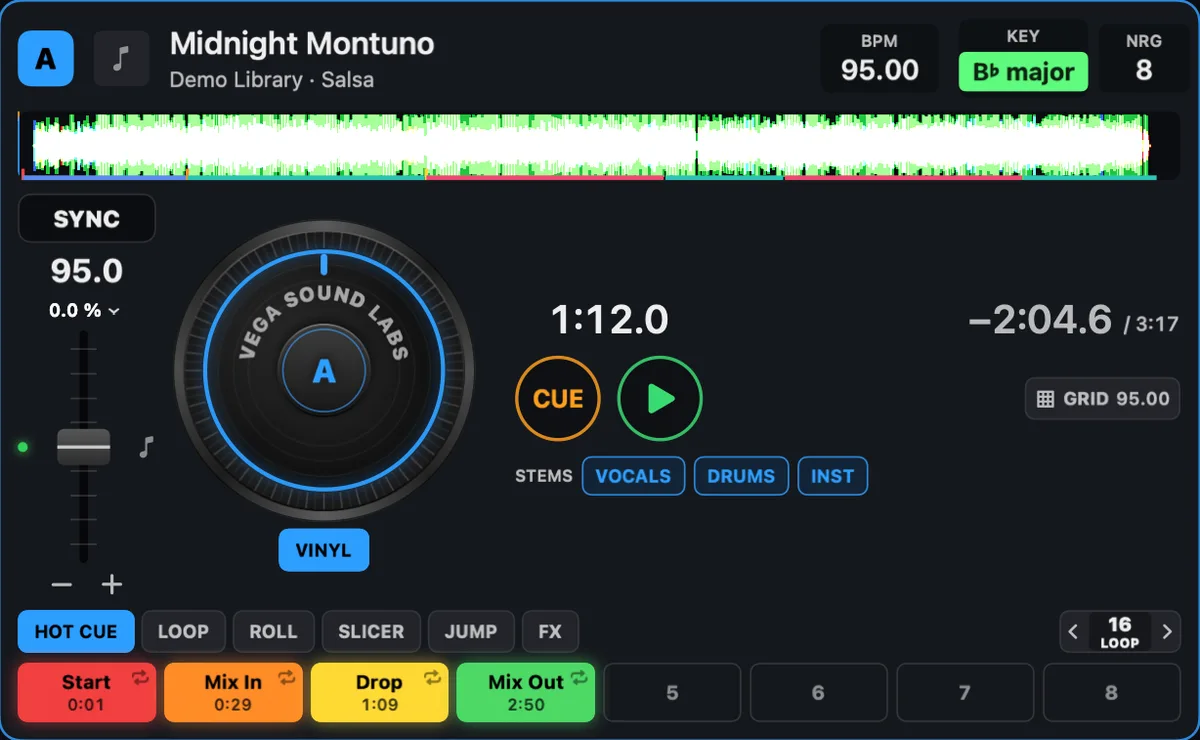
Deck A: jog wheel, CUE and play, stems and the hot cue pads

Track prep

It reads the song before you do.

Each track is mapped into 8-bar phrases (intro, verse, build, drop, break and outro), drawn along the waveform with a live countdown to the next section.

  • Automatic hot cues: Start, Mix In, Drop and Mix Out
  • Tracks you've already cued are never touched
Scrolling waveforms with section bands and the countdown VERSE · 28 → BREAK

Bridges

From one tempo to another, in time.

When two songs are too far apart to mix, a Bridge loops a few bars of real music, such as a salsa percussion break, and ramps it from the outgoing tempo to the incoming one, pitch intact.

  • Intro, ramp and outro you set in bars
  • Beats stay on the grid to within a few milliseconds
The Bridges tab with clip capture and the tempo ramp from 95 to 128 BPM

Set Planner

See the whole night at once.

Sort a set by BPM or as a Gentle Wave that builds for two thirds of the night and then eases down, and watch tempo and energy on one graph. Tempo gaps over 6 % are flagged, with a Bridge one click away. Then hand the set to Automix.

The Set Planner with BPM and energy graphs and a NEEDS BRIDGE warning

And so much more, built in.

  • Stems

    Vocals, drums, everything else.

    Mute or solo the vocals, the drums or the instrumental on either deck. The split runs on your Mac, with no download and no account.

  • Automix

    Hands-free, beat-matched.

    Automix blends a queue on 4-bar phrases, matches each track's loudness, and mixes with Smooth Fade, Bass Swap, Filter Sweep, Power Cut or Echo Out.

  • Library

    A BPM for every track.

    BPM, beat grid, key and energy for every song, including live recordings whose tempo drifts. Smart crates, ratings, colours, a duplicate finder and tag editing.

  • FX & Sampler

    Effects locked to the beat.

    Three effect slots per deck, timed from ⅛ to 8 beats, plus an eight-pad sampler for horns, sirens, shouts and loops.

  • Announcer

    Your own drops, made in seconds.

    Type a line and turn it into a DJ drop with offline AI voices or Mac voices, with voice FX and stingers.

  • Hardware

    Built for the DDJ-SB2.

    Plug in a Pioneer DDJ-SB2 and play: no driver needed. Its lights follow the app. MIDI learn maps about 130 actions to any MIDI controller.

  • Gig safety

    The show goes on.

    If the controller's cable comes out, the music carries on through the Mac. After a crash, your decks come back where you left them. A master limiter catches peaks.

  • Themes & Skins

    Make it yours.

    Colours, scenic window backdrops, knob and fader materials, platter or vinyl jog wheels, and artwork that waves like cloth behind each deck.

Performance & precision

Light on the Mac. Locked to the beat.

Real-time audio code with no locks and no memory allocation, and visuals that only move when the music does.

CPU with a deck playing
~7%Down from about 30 %. Waveforms are drawn once and slide on the GPU.
CPU when nothing plays
1–2%Stopped decks don't redraw at all.
Audio buffer
5.8 ms256 frames at 44.1 kHz, shown live in the app's header.
Display-synced motion
60 fpsOne clock drives every moving part. 30 fps on battery, if you like.
  • A few ms

    How close Bridges and Automix keep the beats to the grid.

  • ±9 dB

    Automix matches each track's loudness, ignoring silence and quiet intros.

  • ~12 ms

    Stem mutes fade in and out, so there are no clicks.

  • 8 bars

    Each song is read in 8-bar phrases, the way DJs count.

CPU figures were measured during development on an Apple silicon Mac and will vary with the machine and the tracks loaded.

Your next sound experience starts here.

Download Vega Sound Labs Pro for your Mac.

Version
0.4.0
Released
November 19, 2026
Size
13.6 MB
File
Disk image (.dmg)
  • macOS 14 Sonoma or later
  • Mac with Apple silicon

Release notes coming soon

The app isn't notarized by Apple yet. The first time you open it, right-click it and choose Open, or allow it in System Settings ▸ Privacy & Security.